Ignoring a specific plugin result
Plugin results that may have no resolution or stem from legacy software may be specifically ignored. Ignoring a plugin result will continue to report and be displayed on a computer record, but will no longer generate warning or alert emails or tickets.
Examples
- If CrashPlan is no longer use on a laptop, but was only partially removed, the CrashPlan Plugin can be Ignored via the Dashboard.
- The Monitoring Client includes a plugin which can be configured to trigger an Alert if a computer is restarted. Should this be enabled, but the notices not needed, the Reboot Plugin can be Ignored.
- TimeMachine was previously configured and is no longer in use, the TimeMachine plugin can selectively ignored for that computer..
To Ignore a Plugin
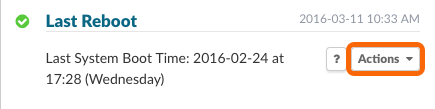
Select the Actions menu on the plugin to be ignored.
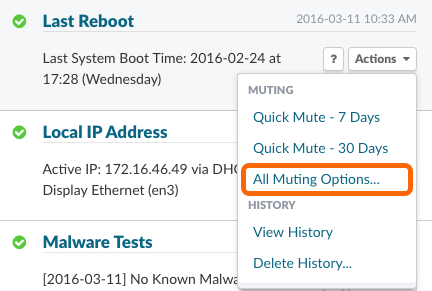
Select All Muting Options…
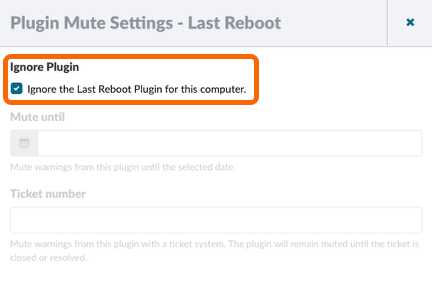
Selecting Ignore plugin will mute this plugin for this specific computer.
Ignoring a Plugin for a Group
To ignore plugins for a group of computers, please see Muting Multiple Plugin Results At One Time.
Permalink: https://watchmanmonitoring.com/ignore-plugin-result