Exporting Computer Data as CSV
Data from Watchman Monitoring can be exported to CSV for further manipulation and reporting. CSV Export is available via Computer Search or from a Group.
CSV Export
Navigate to Computers.

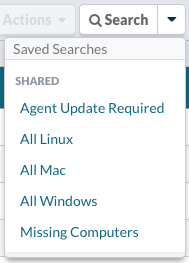
Use a Saved Search or apply your own search criteria.
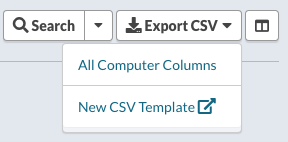
From the Export CSV, you can export the All Computer Columns, any saved CSV Templates, or create a New CSV Template.
Group Export
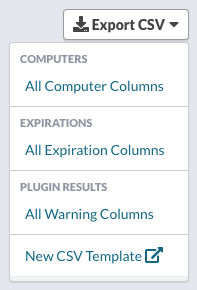
When viewing a group, you have the option to export Computers, Expirations, Plugin Results, create a new CSV Template or utilize any saved CSV Templates.
Full Detail
The following data points are included in the Computer Full Detail CSV Export:
Watchman ID, Group, Computer Name, Custom Name, Description, Last User, Asset ID, Serial Number, OS Version, Max OS, Installed RAM, Boot Volume Capacity, Boot Volume Usage, Boot Volume Usage Percent, Model Identifier, Primary IP Address, Active MAC Address, System MAC Address, Processor Info, SMC Version, Product Description, Config Description, FileVault, Bash CVE 2014, TeamViewer ID, TeamViewer Version, LogMeIn URL, SimpleHelp URL, JSS Computer ID, Munki Identifier, ARD Field 1, ARD Field 2, ARD Field 3, ARD Field 4, Public Notes, Internal Notes, Missing Report, AppleCare Eligibility, Warranty Status, Estimated Purchase, Est. Manufacture Date, Apple Product Description, Date Created, Last Report, Has Issue, Current Uptime, Agent Version, Build Number, Agent Removed, Missing, Report if Missing, Report Missing After, Ignore Missing Until, Updates Enabled, Settings Enabled, Platform, Computer URL