Bulk Deleting of Groups
Deleting a Group will permanently destroy its Computer Records, Expirations, Notes, and Group specific Menu Items. Any Computer Records in this Group will be removed, and the Monitoring Client software will be uninstalled from the computer at its next report.
Important
Deleting a Group and Computer Records in the Group cannot be undone.
Deleting or Removing Several Groups At Once

Navigate to Groups.
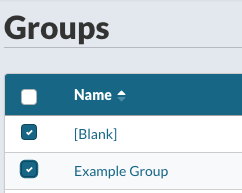
Select the Group or Groups you would like to delete or remove.
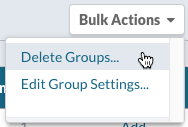
From the Bulk Actions menu, select Delete Groups…
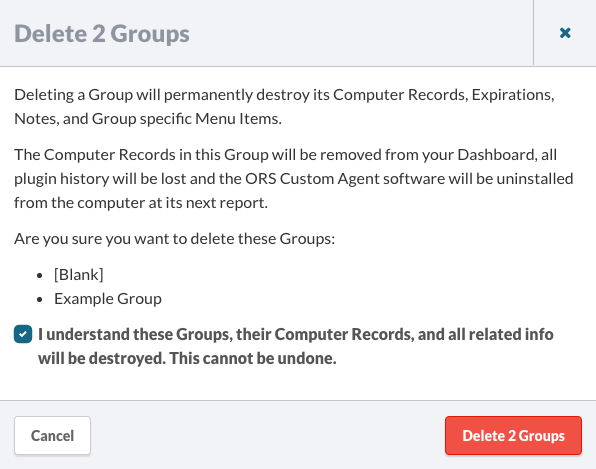
You will be presented with a Group deletion confirmation. Check the box next to I understand these Groups, their Computer Records and all related info will be destroyed. This cannot be undone. The Delete [Number Selected] Groups button will then be enabled for you to click.