Options for deploying Watchman Monitoring
Multiple methods for deploying the Monitoring Client software are available to fit your requirements. The following describes the available package formats for macOS, Windows and Linux, enrollment codes, and popular deployment tools.
Available package formats
Group-Specific Installers (pkg, msi)
Group-specific installers are built and signed as new Groups are created. These pre-configured .pkg and .msi format installers have the Group name built in, which streamlines and ensures a uniform Group name.

Group-specific installers can be downloaded from the Installers button at the top of each Group page. These packages do not contain the payload directly, instead , they download the latest installer, and therefor require internet access.
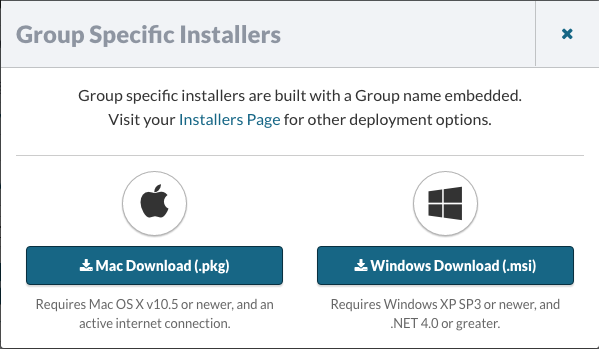
The Mac formatted pkg works in both Installer.app and in a command-line environment such as /usr/bin/installer or Remote Desktop.
The Windows MSI can be distributed using a Group Policy.
Suggested use cases
- Create a new Group and email the resulting pkg to an end user.
- Use a Group specific installer to prevent re-entering a Group name on each computer in a given office.
- Leave a copy of the Group-specific installer on the end user’s file server for later use.
Warning
The timing until Apple notarizes the installer can result in a warning dialog when the user installs the package before notarization is complete. Presently, if the user waits and then attempts installation a few minutes later, the notarization check will complete and installation will complete without issue.
Stock Package (pkg, msi, rpm, deb)
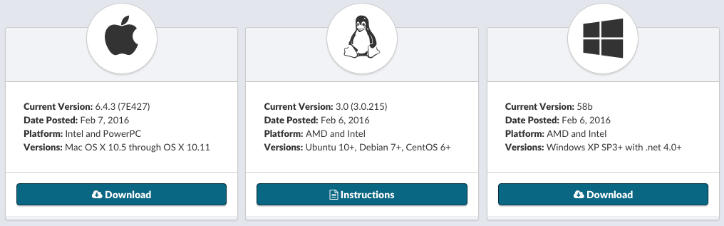
The stock installers are signed packages which allow a user to assign a Group name during installation. Entering an existing Group name will add this computer to the group, if there is no match in your Watchman Monitoring Dashboard a new Group will be created dynamically.
Groups can be merged or renamed in your Dashboard. Group names can also be changed in the PreferencePane, and the Dashboard will send you an alert that the Group has changed.
Suggested use cases:
- Linking to your stock installer from your own website.
- Keep a copy on a thumb drive, for handy installation.
To ensure the most accurate reporting, Watchman Monitoring recommends replacing out of date installers at least quarterly.
Enrollment Codes
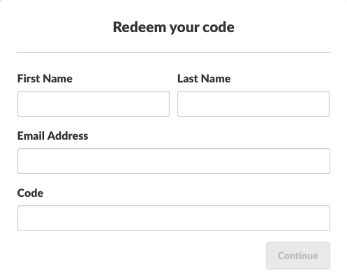
Watchman Monitoring features Enrollment Codes which can allow an end user to self-enroll a computer for Proactive Support.
Enrollment Codes are ideal for retail environments, and can be distributed to your end users via gift card, email, etc.
When a user redeems an Enrollment Code, the computer can be automatically placed into a specific Group, and an expiration can be attached to the account.
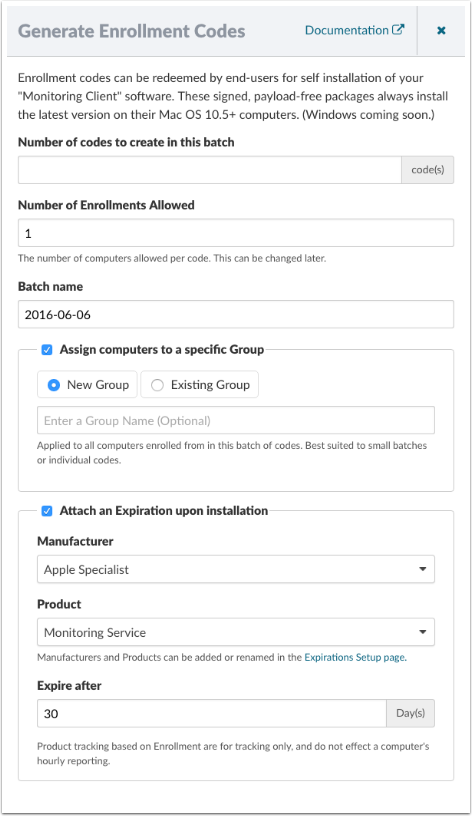
Learn more about Enrollment Codes.
Warning
The timing until Apple notarizes the installer can result in a warning dialog when the user installs the package before notarization is complete. Presently, if the user waits and then attempts installation a few minutes later, the notarization check will complete and installation will complete without issue.
Deployment Tools
Watchman Monitoring is compatible with many deployment tools for a quick and easy installation on multiple computers.
Installing the Monitoring Client via automated deployment or command line.
See also: Watchman Agent mass deployment best practices.
Apple Remote Desktop (Script)

See this article for using Apple Remote Desktop to deploy the Monitoring Client.
JAMF Pro (formerly Casper Suite)

FileWave

FileWave support in Watchman Monitoring
Additional Details
Tip
All of these methods can also be installed over any existing agent, helpful when auto-update has been disabled.
Note
Your installer can be renamed as a part of your Custom Branding.
Tip
Authentication is not required for downloading installer packages. Learn more