Installing Monitoring Client using Munki
The Monitoring Client can be deployed in an automated fashion using Munki. We will demonstrate how to configure your Munki repo to deploy your Monitoring Client to end users.
What is Munki?
Munki is a set of tools that, used together with a webserver-based repository of packages and package metadata, can be used by MacOS administrators to manage software installs (and in many cases removals) on MacOS client machines.
For help with getting started with Munki, please see the Munki Project.
Using Munki to deploy Monitoring Client
Importing your Monitoring Client into your Munki repo
This method requires importing of your standalone installer.
Note
While auto updating will bring your Monitoring Client up to date on the initial checkin, it is good practice to periodically update the standalone installer.
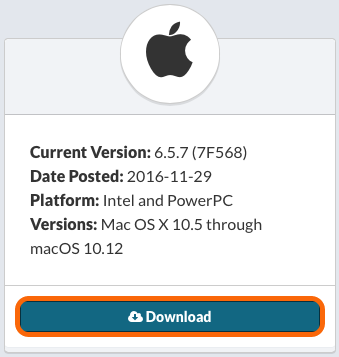
1. Download your standalone installer.
Download your standalone installer from your installer page.
2. Import into Munki
Warning
We are assuming that you have a properly configured Munki repo. For help with getting started with Munki, please see the Munki Project.
2.1. Munki Admin
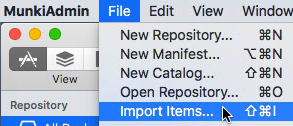
Open Munki Admin. From the File menu, select Import Items…
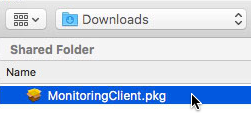
Select the MonitoringClient.pkg
The MonitoringClient.pkg will not be in your Munki repo, so you will be prompted to save it in your repo. (Default locations are fine.)
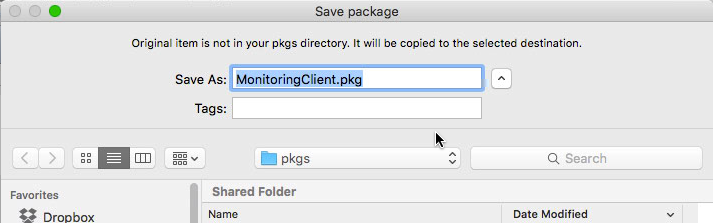
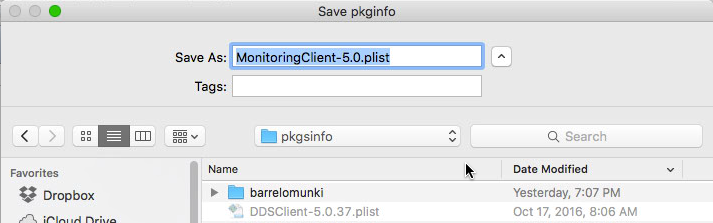
Next, you will be prompted to save your pkginfo file. (Default locations are fine.)
2.2. Command Line
munkiimport /path/to/MonitoringClient.pkg
You will be prompted with the following:
           Item name: MonitoringClient
        Display name: Monitoring Client
         Description: Installs the Monitoring Client that informs us of impending failures and the health of your Mac
             Version: 5
            Category: Utilities
           Developer:
  Unattended install: True
Unattended uninstall: True
            Catalogs: testing,production

Import this item? [y/n] y
Upload item to subdirectory path []: utils
Copying MonitoringClient.pkg to /Volumes/repo/pkgs/utils/MonitoringClient-5.0.pkg...
Using Autopkg and/or Autopkr recipe.
Using a Payload Free Post Install Script in your Munki repo
This method minimizes the need to maintain the latest installer in your Munki repo. This method has a few pitfalls in that we need to verify on every run that the Monitoring Client is in place to avoid running again, and there is no version control.