Accessing the Monitoring Client Control Panel
With changes to the Windows Operating System, locating the Monitoring Client Control Panel takes an extra step. The following will allow you to locate and access the Monitoring Client on a Windows Computer.
Note
While these instructions are based on Windows 10, they are similar for Windows 7, Windows 8, and Windows 8.1.
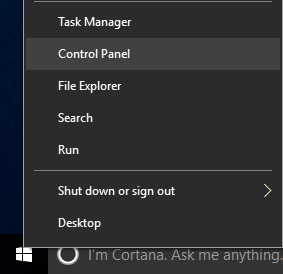
Right-Click on Start menu and select Control Panel.
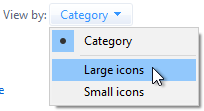
Change the View by: from Category to Large icons (or Small icons).
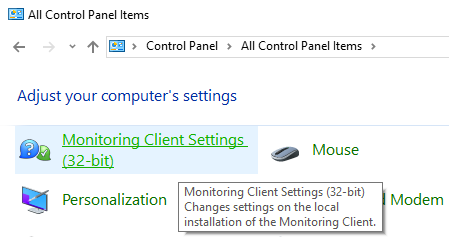
Double-Click on Monitoring Client Settings (32-bit).
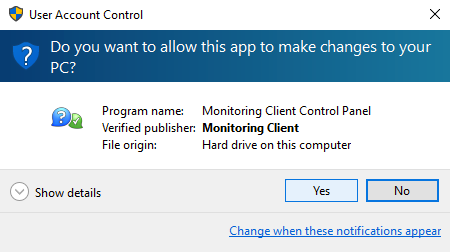
When prompted to allow Monitoring Client to maker changes, Click Yes.
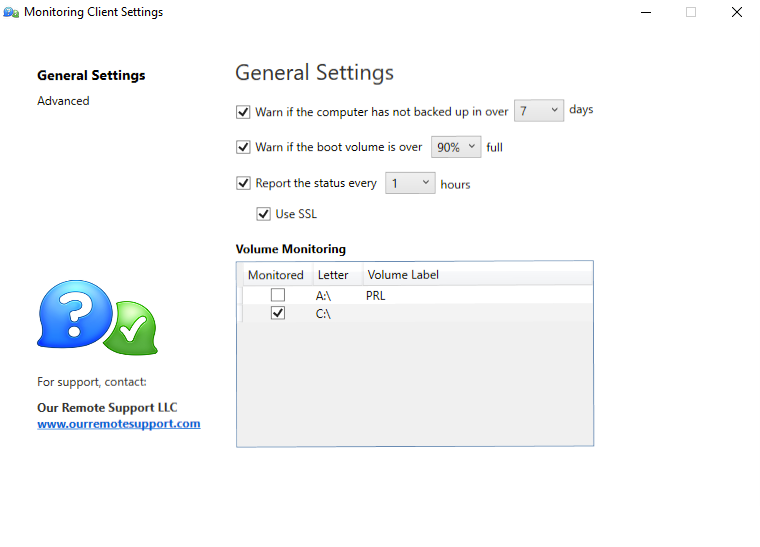
You’ll be presented the Monitoring Client Control Panel.
Warning
If you are unable to open the Control Panel, navigate to
%USERPROFILE%\AppData\Local\Tempand delete the.wp_cp_openfile and then try opening the Monitoring Client Control Panel.