Configuring the installer before deployment [deprecated]
This article is out of date
It covers an older version, or something we no longer offer, and is kept so older links still work. Start from Installers for how things work now.
Important
With changes in signing and notarization requirements for packages, the un-signed package is no longer supplied or supported.
This bundle-formatted, un-signed package is designed for use in automated deployments.
The editable postflight script allows this package for the pre- configuration of many default settings. Uses include Apple Remote Desktop, DeployStudio, Autopkg, etc.
To configure the bundle package, right-click and Show Package Contents.
Open Contents/Resources/postflight and modify to your suit needs.
This script is written in python, which is sensitive to changes in tabs and spaces. To prevent installation issues, we recommend using a flat text editor, such as TextWrangler.
Avoid accidentally running the script using File -> Open in your text editor, or by editing in a Terminal window.
Once an agent has been deployed, its settings can be adjusted programmatically using defaults.
Learn more: https://www.watchmanmonitoring.com/defaults- commands
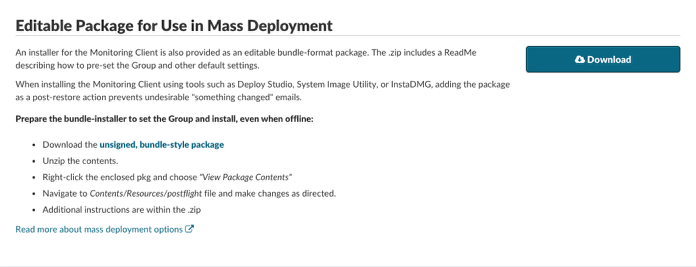
The archived editable package installer (in .zip format) can be configured to install the Monitoring Client software without the PreferencePane active:
- Download the archived package installer from the Watchman Monitoring Server dashboard. https://app.monitoringclient.com/installers/mac
- Decompress the archive.
- Right-click the .pkg file and choose “Show Package Contents” from the contextual menu.
- Navigate to:
/MonitoringClient.pkg/Contents/Resources/postflight
- Edit the postflight by setting the following options as shown:
plist_dict["Branding_PrefPane_Included"] = False
plist_dict["Report_SSL"] = True

# Here we set the some default settings for key plugins

# Default root capacity warning level
plist_dict["root_capacity_warning_level"] = 90

# Time Machine defaults
plist_dict["check_time_machine_days"] = 7
plist_dict["check_time_machine_manual_run"] = 0
plist_dict["check_time_machine_manual_run_hour"] = 2

# Default number of days before we report on Crashplan destinations which haven't completed
plist_dict["check_crashplan_days"] = 7

# Defining the default interval between kernel panic warning emails
plist_dict["check_panic_count_qty"] = 3

# Default Updater settings, whether or not to run, and how many days between update checks
plist_dict["Update_Enabled"] = True

# Default Settings Updater
plist_dict["CheckSettings_Enabled"] = True

# Custom Software name
plist_dict["Branding_PrefPane_Bundle_Name"] = 'Monitoring Client'

# Custom PrefPane Greeting
plist_dict["Branding_PrefPane_Greeting"] = 'For support, contact:'

# how often the client should run, in hours
plist_dict["RunClient_Interval_Default"] = 1

# Uncommenting the following line would override any current hourly run settings
# plist_dict["RunClient_Interval"] = 2

# Do we include a PrefPane?
plist_dict["Branding_PrefPane_Included"] = True