(Legacy) Monitoring Client for Linux Overview
This article is out of date
It covers an older version, or something we no longer offer, and is kept so older links still work. Start from Installers for how things work now.
Important
Watchman Monitoring’s current, python2 based Linux agent has been deprecated.
Limited support is available, however reporting requires the build of python2 on your host can navigate TLS 1.2+
A new agent built on modern frameworks, is in planning.
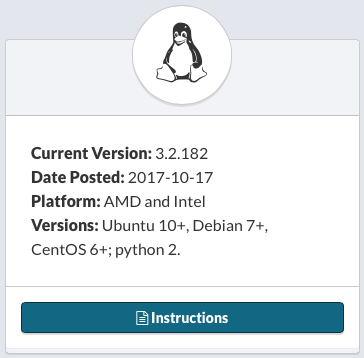
Watchman Monitoring supports Ubuntu, Debian and CentOS. Other platforms are likely to run the agent as well (even a Raspberry Pi). The agent is available to all subscribers.
Installation
Installation Instructions are available within your dashboard.
Features
The following services are monitored:
Apache
- Reports error logs for enabled websites.
Beacon Downtime Reporting
- Reports when a computer goes offline for a subscriber selectable time period of 2-30 minutes.
Crashplan Client
- Alerts if a Crashplan Client isn’t backing up on schedule
CrashPlan Server
- Reports the status of daily database dumps
- Monitors availability of the PROe Server
Fail2Ban
- Reports actions taken by Fail2Ban
Failed Logins
- Reports the amount of failed logins to the server
- Warns if a users failed login attempts exceeds a specified value (adjustable. Default: User_Threshold=10)
- Warns if the total amount of failed login attempts exceeds a specified value (adjustable. Default: Total_Threshold=20)
Frameworks
- Reports Shellshock vulnerability
Kerio Connect
- Service configuration and availability
- Calculates disk usage on a per-domain basis.
- Calculates disk usage for key folders - mail, backups, archives, full text search.
- Notifies of pending license expirations.
MySQL
- Reports error logs for MySQL.
Network Status
- Reports send and receive errors on network interfaces
- Warns (by default, optional) when the amount of new errors passes a certain amount (adjustable. Default: ErrThreshold=0).
RAM
- Reports amount of total and available physical and swap memory.
- Warns (by default, optional) if the amount of memory changes.
Reboot Notification
- Reports the last reboot time of the machine.
- Warns (optional, off by default) if the machine has been rebooted.
Volume Capacity Presence
- Reports if the root volume fills to 90% (default) capacity.
- Optionally configure the monitoring of additional volumes.
Configuration
The main configuration file is client_settings.conf and is located
/etc/monitoringclient/client_settings.conf
Plugins will create settings files as-needed in the plugin-support folder
/etc/monitoringclient/plugin-support/
Removal
Ubuntu / Debian
Remove the Client
sudo apt-get remove monitoringclient
Clear stashed settings (especially before reinstallation)
sudo rm -rf /tmp/monitoringclient
CentOS
Remove the Client
sudo rpm -ev monitoringclient
Clear stashed settings (especially before reinstallation)
sudo rm -rf /tmp/monitoringclient
Permalink: https://watchmanmonitoring.com/linux-monitoring-client