Updating Monitoring Client Version
The Monitoring Client will update within 24 hours of a new release. The Monitoring Client can become out-of-date when auto-update has been disabled, or a failure occurs in the auto-update process. There are several methods for handling out-of-date Monitoring Client.
Tip
Reinstalling the same, or newer, Monitoring Client over an existing installation is a safe action, even when changing the subdomain of the installed agent.
Mac
The Mac Monitoring Client can be forced to try a Manual Update.
Download the latest Mac Monitoring Client Installer.
Tip
Installing the latest Mac Monitoring Client updates the software while retaining current settings.
Windows
The Windows Monitoring Client can be forced to try a Manual Update.
The Windows Monitoring Client requires removal through Add/Remove Software. Once removed, the Monitoring Client can be reinstalled.
Download the latest Windows Monitoring Client Installer.
Linux
To force update to the latest version:
sudo run-client -F --update
Enable autoupdates using:
sudo run-client --auto-update true
Managing Monitoring Client Versions
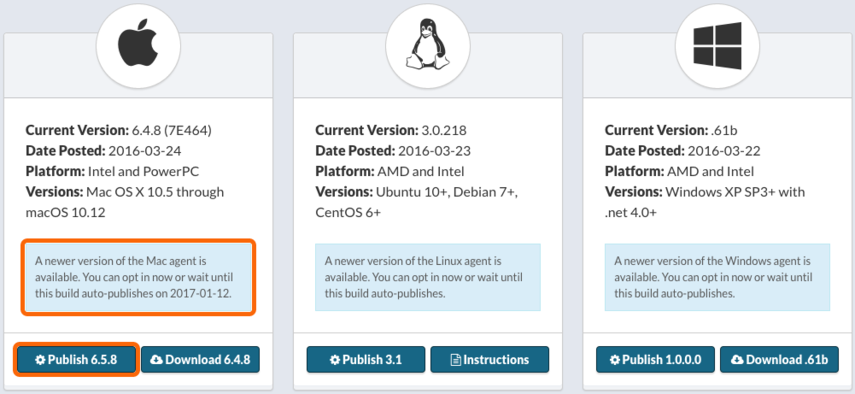
Watchman Monitoring pre-releases versions up to a week ahead of the final release date. You can option to update your Monitoring Client agents to the latest version by clicking the Pubish X.X.X button beneath the platform installer.
Tip
Autopkg userswill see the new build in their feeds. If you maintain an installer on a thumb-drive or posted on your own website is encouraged to re-download the latest installer. Our auto-update process will take care of the rest of your installed client base.
Permalink: https://watchmanmonitoring.com/handling-out-of-date-agents