Post installer for easy deployment
The following ideas assist in keeping your customized installer available when needed without the need to log into your Dashboard.
Tip
The installation package for your Monitoring Client installers do not require authentication to access.
Posting URL to your site
Your installer download can be found by using your subdomain in the following URL examples:
Tip
Use a link shortener service to create a shortcut to your installer package.
Download a signed, flat package installer
The following installers can be downloaded to keep on a USB thumb drive.
Mac
https://{subdomain}.monitoringclient.com/downloads/MonitoringClient.pkg
Windows
https://{subdomain}.monitoringclient.com/downloads/MonitoringClient.msi
Embed a link to the installer on your homepage
Turn an element on the homepage of your website into a link:
Mac
<a href="https://{subdomain}.monitoringclient.com/downloads/MonitoringClient.pkg">Staff Use macOS</a>
Windows
<a href="https://{subdomain}.monitoringclient.com/downloads/MonitoringClient.msi">Staff Use Windows/a>
Create an auto-downloading page on your website
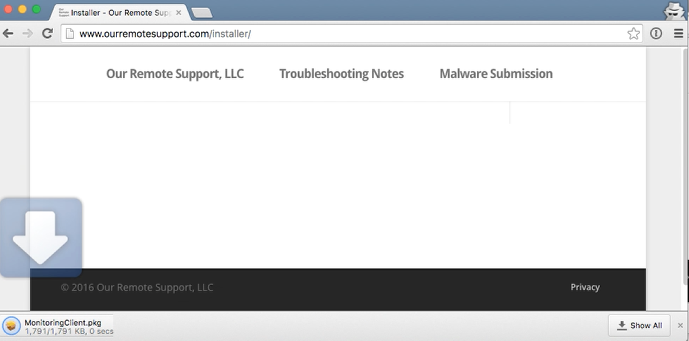
- Create a folder named “client” at the root level of your website.
- Place an index.html file in the “client” folder.
- Add the following code to the index.html file, replacing {subdomain} with your subdomain
<meta http-equiv="refresh" content="0;URL=https://{subdomain}.monitoringclient.com/downloads/MonitoringClient.pkg" >
When you visit the page created above, the computer will auto-download the latest version of the installer.
Creating and auto-download page on WordPress sites.
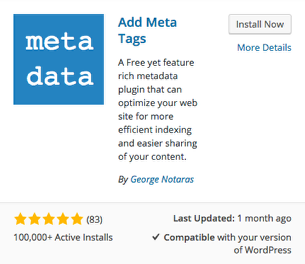
Without a plugin, it is not possible to add Meta tags directly to a WordPress post. A free plugin called “Add Meta Tags” adds this functionality.
Install the Add Meta Tags Plugin.
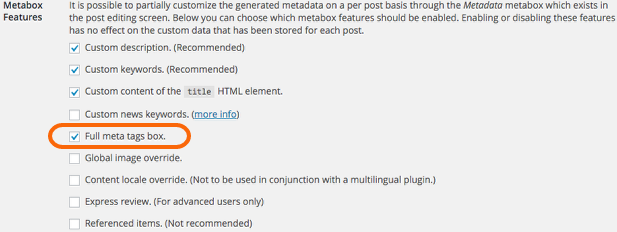
After activating the plugin, navigate to Metadata on the plugin’s Settings page. Check the box labeled Full meta tags box ,then click Save.
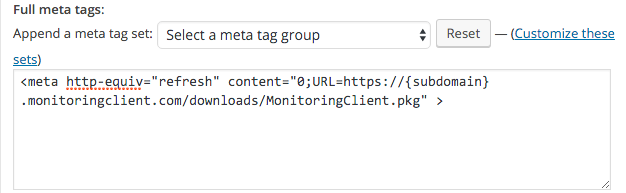
Now when creating or editing a page, you will see a Full Meta Tags box, where you can input the following meta tag:
<meta http-equiv="refresh" content="0;URL=https://{subdomain}.monitoringclient.com/downloads/MonitoringClient.pkg" >
Redeem Enrollment Codes
Add Enrollment codes for end-user self-enrollment to your website.
Self-Enrollment
Enable Self-enrollment for code-free computer enrollment.
Permalink: https://watchmanmonitoring.com/installers