Daylite Client Monitoring
The Daylite Client plugin alerts when a users’ Daylite Client has not synced to its server in the expected time frame (5 days by default).
Warning
The Daylite Client plugin is compatible with Daylite version 3 and above.
Daylite Client
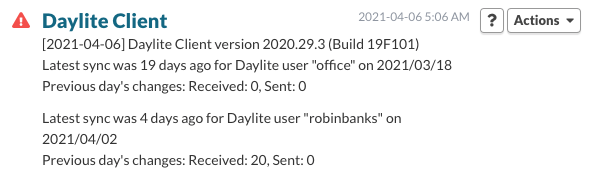
The plugin reviews sync history and reports the date of the most recent offline-sync.
The change history from the previous day is shown to help verify that the last reported sync completed.
A warning is triggered if the offline database does not sync within 5 days by default. The time before an issue is reported can be adjusted in the Settings tab of the PreferencePane.
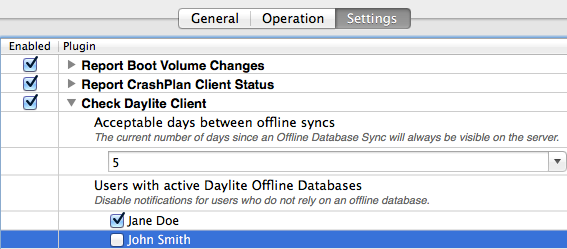
Disable a Daylite plugin for a user:
This command would stop reporting for the user “administrator’ for the Daylite Client plugin.
sudo /usr/libexec/PlistBuddy -c "Set :Users_To_Monitor:administrator bool false /Library/MonitoringClient/PluginSupport/check_daylite_client_settings.plist"
Fully removing Daylite when it is no longer in use
Removing Daylite’s log files informs the Monitoring Client that Daylite is no longer in use, and that it is no longer necessary to report Daylite’s sync status.
For each user of the system who is no longer using Daylite, remove:
~/Library/Logs/Daylite
~/Library/Application Support/com.marketcircle.Daylite4/Logs
Permalink: https://watchmanmonitoring.com/plugin-support/daylite-client