Sending Large Files to Watchman Monitoring
There may be an occasion where the files may be larger than acceptable via email. The following are details for uploading a large file to Watchman Monitoring Support.
Watchman Monitoring supports the Secure File Transfer Protocol (SFTP) over Secure Shell (SSH). Most modern file transfer utilties support the SFTP protocol.The username and password should be requested by opening a support ticket
Warning
Please compress or zip your file(s) before uploading them.
Settings:
For configuring your own SFTP Client.
Hostname: transfer.watchmanmonitoring.com
Username: {please contact support}
Password: {please contact support}
Port: 22 (default)
Command Line:
Mac / Linux:
sftp {user}@transfer.watchmanmonitoring.com: <<< $’put {local_file_path}’
Where, {user} is the username provided from support, and {local_file_path} is the path to the zip file to upload.
Cyberduck
Mac
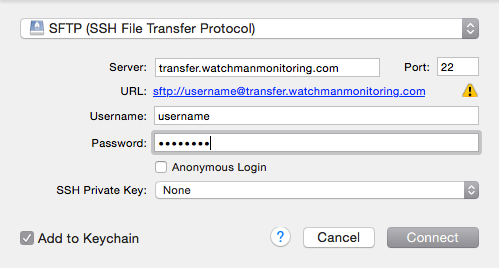
In Cyberduck, click Open Connection.

Copy sftp://transfer.ourremotesupport.com and paste into the Server: field.
Enter the Username and Password provided by support.
Windows
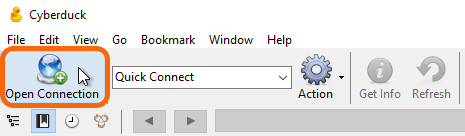
In Cyberduck, click Open Connection.
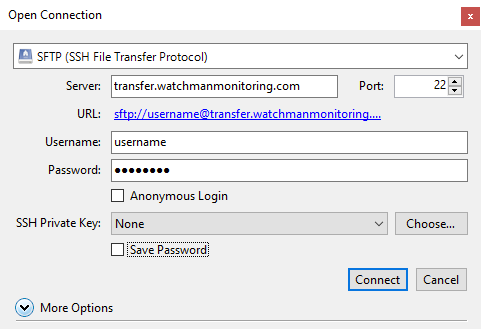
Copy sftp://transfer.ourremotesupport.com and paste into the Server: field.
Enter the Username and Password provided by support.
Other Clients
- WinSCP (Windows)