Add a Client Record link to Web Help Desk
Subscribers who use WebHelpDesk can enable one-click access to a Client Record in the Watchman Monitoring Dashboard.
To Enable:
- In WebHelpDesk, navigate to Setup.
- Click Assests, then Options.
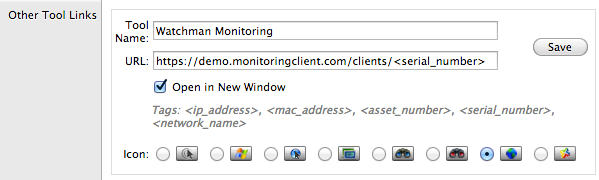
- Click Add an “Other Tool Link”.
- Enter a Tool Name, such as Watchman Monitoring.
- Enter the URL in the following format:
https://app.monitoringclient.com/computers/<serial_number>
- Choose whether to Open in a New Window.
- Choose an Icon, as shown below.
- Click Save.