Configuring Office 365 OAuth2 for Single Sign On
Office 365 OAuth2 Integration allows for Single Sign On (SSO) to Watchman Monitoring using your O365 credentials.
By configuring Office 365 OAuth2 SSO, you can allow anyone in your Office 365-managed domain to automatically log in without creating a second set of credentials for Watchman Monitoring. Two factor authentication is supported, and is managed by the same O365 authentication rules you define for your domain.
When configuring Office 365 OAuth SSO, you can set default access privileges for new users in your domain, preventing the need to manually register each user in your organization. Privileges can be customized by individual user once they have logged in once, or by manually creating their account.
Configuring Single Sign On
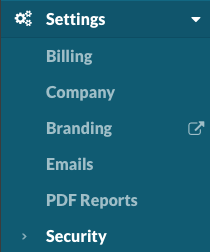
Navigate to Settings > Security
Configuring Office 365 OAuth2
Select Enable Office 365 OAuth2 to display the Office 365 OAuth2 SSO configuration options.

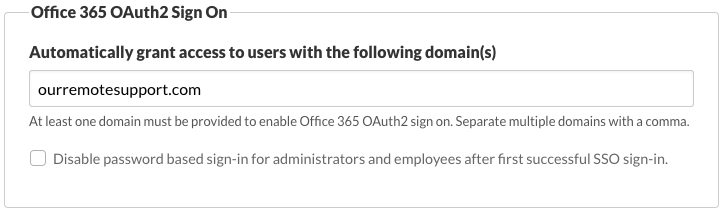
Enter your authorized domain to allow Office 365 OAuth2 single sign on.
Note
If your organization uses more than one email domain, multiple domains can be entered with comma delineation.
Note
You can optionally disable use of password based logins for administrator and employees.
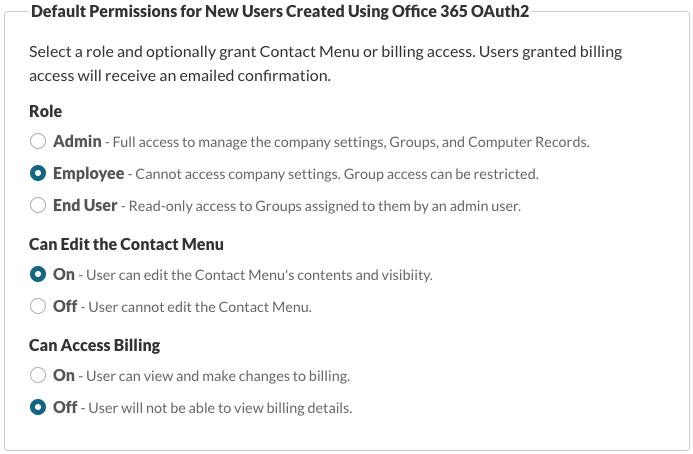
Default Permissions for New Users Created Using OAuth2
Office 365 OAuth2 can generate new users for you in Watchman Monitoring. Set the default permissions for new users.
Note
Once an Office 365 OAuth2 User has been created, Roles and Permissions can be adjusted. See Changing User Permissions in the Watchman Monitoring Server Dashboard.
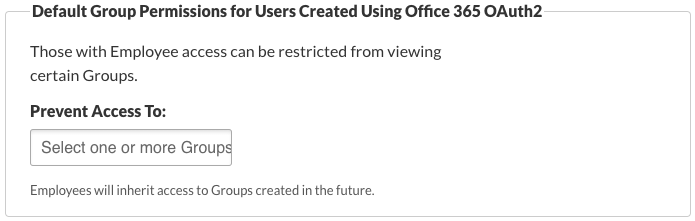
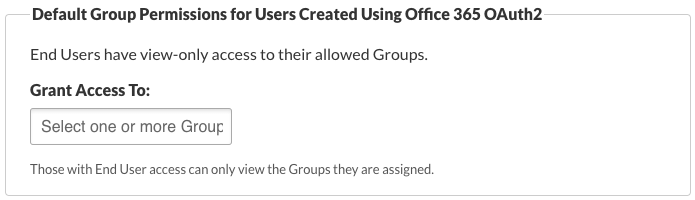
Default Group Access for Users Created Using Office 365 OAuth2
Employees can be restricted from viewing certain Groups
Add one or more Groups Employees should not have access to when created.
End Users must be assigned Groups
Add one or more Groups End Users should have access to when created.
Logging in with Office 365 OAuth2 SSO
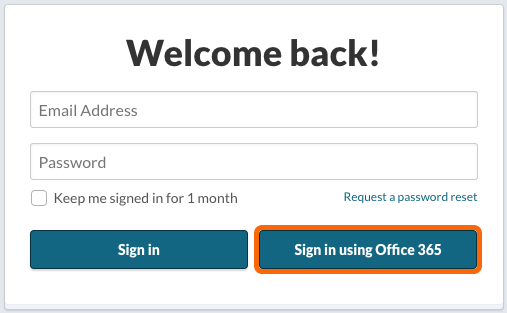
With Office 365 OAuth2 configured, an additional button to Sign in with Office 365 will be displayed on the login page. Clicking on the Sign in using Office 365 will take you to the Office 365 login.
Related Articles
- Two-factor Authentication options in Watchman Monitoring
- Configuring SAML for Single Sign-on
- Supported SAML Authentication Providers
- Configuring Google OAuth2 for Single Sign On
Permalink: https://watchmanmonitoring.com/o365-oauth2