Customizing the Monitoring Client Preference Pane and Control Panel
You can customize the primary method of contact for display to end users in the Preference Pane (Mac) or Control Panel (Windows). The primary contact method is used as the default link for your company name in the Contact Menu.
Account Settings
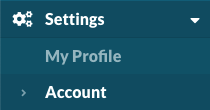
Navigate to Settings > Account. https://app.monitoringclient.com/settings/account
Support for your End Users
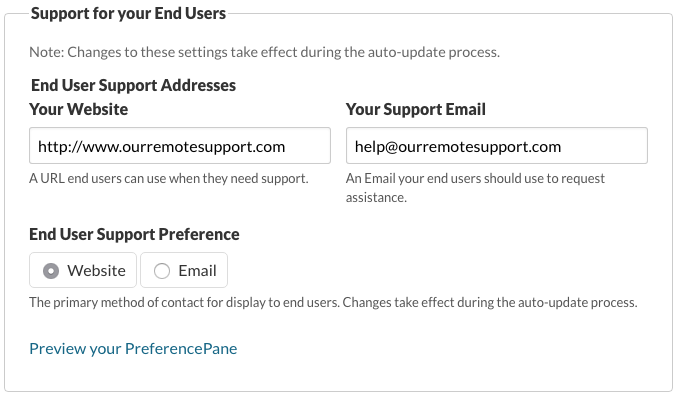
By default, the Monitoring Client will link to the Support Website Address provided in Your Website.
Select Website or Email for your preference for the End User Support Link in the Preference Pane (Mac) or Control Panel (Windows).
Warning
Watchman Monitoring recommends using a Website URL in your PreferencePane and Contact Menu, but there are times when a mailto is required.
Tip
Users who rely on webmail can teach a web browsers to open mailto urls in WebMail As Default Mail Client.
Note
Changes to these settings take effect during the auto-update process.
Examples
Windows
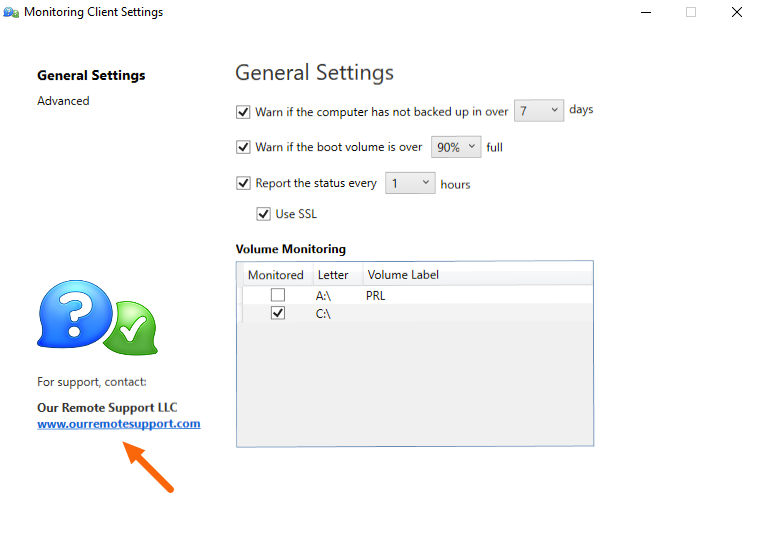
Example of the Windows Preference Pane.
Macintosh
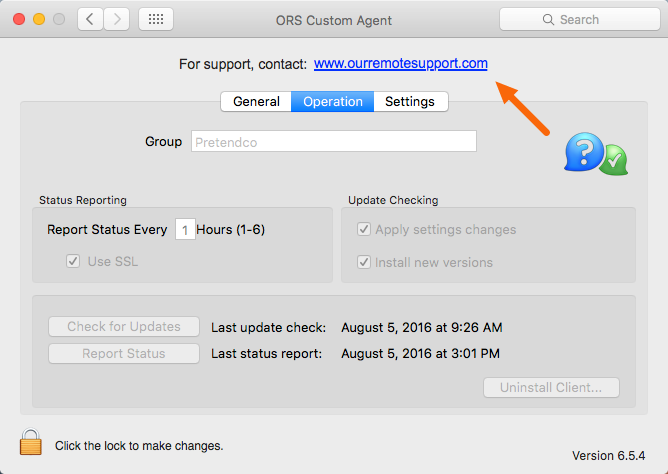
Example of the Macintosh Monitoring Client Preference Pane.
Permalink: https://watchmanmonitoring.com/customize-primary-contact